
If you’ve read my earlier post on Oracle’s Fusion Agentic Applications announcement, you have the strategic story. A new category, 22 named apps, the SaaS-only boundary, what to do this quarter.
This is the first of two technical follow-ups. This one is about what’s inside an agentic app from the user’s side: the philosophy that shapes the design, the four-region UI, the protocol that wires it together, the visual vocabulary of widgets, and the communications model.
The architecture stack, the agent orchestration patterns, and the AI Agent Studio tooling are in the second post.
Quick Summary
If you are only after the technical headlines:
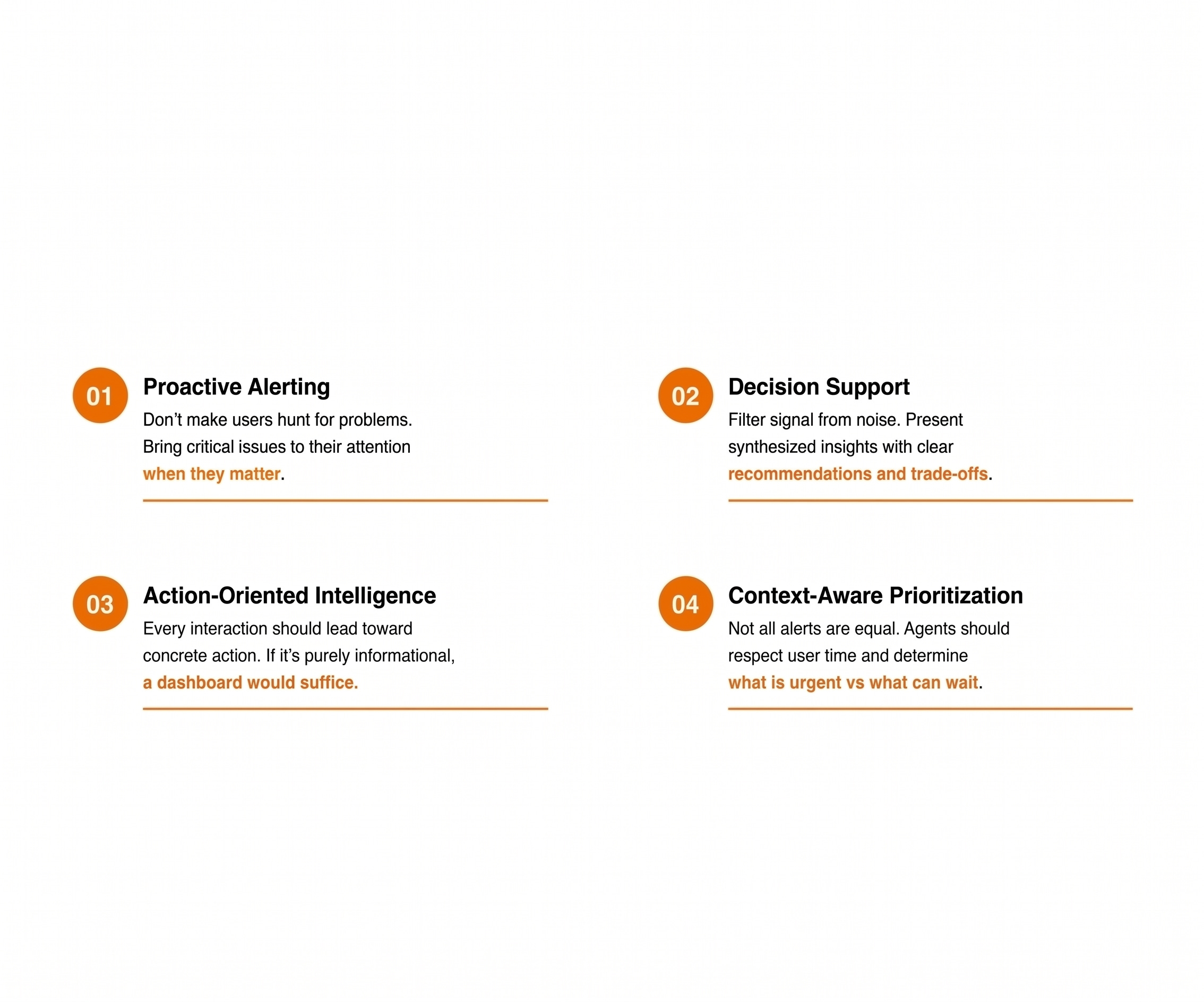
Fusion agentic apps are built around four design principles: Proactive Alerting, Decision Support, Action-Oriented Intelligence, Context-Aware Prioritisation.
Each principle maps to specific technical primitives -
InitActions+priority: true,<oraInfoDisplay>+ 7 widgets,ora.Invoke()+followUpCommand+<oraFormSubmit>,$OraUserContext+$OraMessageHint.Every agentic app shares the same four-region UI anatomy: Advisor (Ask Oracle), Information Summary, Priority Actions, Communications.
Those regions map to four capabilities - Information Display, Advisor, Actions, Communication - this is what closes the loop from data to decision.
The app talks to its agents through
$OraMessageHint- 10 enumerated hints across 3 lifecycle moments, routed through a Switch node, with a 60-second response window.Information is displayed through a finite catalogue of seven declarative widgets: Chart, Card, Message List, Change List, Multi Record, Record, Sankey.
Communications converge on a five-step lifecycle - Suggest, Prefill, Fill, Review, Send - with a non-bypassable User Review step. As Aarti Satyamurthy at Oracle puts it: “The agent moves the work. You keep the accountability.”
Read on for the full breakdown.
The Four Design Principles
Four design principles shape every Fusion agentic app. They are worth reading carefully because each one maps directly to a piece of the architecture you’ll see later.
Proactive Alerting. Don’t make users hunt for problems. Surface critical issues the moment they matter. A compliance certification expiring next week shouldn’t wait for someone to open a dashboard - the app proactively surfaces it before the user asks.
Decision Support. Filter signal from noise. Present synthesised insights with clear recommendations and trade-offs, not raw data points. The principle is: if it’s purely informational, dashboard would suffice. An agentic app earns its place by helping the user decide.
Action-Oriented Intelligence. Every interaction should lead to a concrete action - approve, escalate, renew, investigate. No dead-end views, no read-only summaries that leave the user with a follow-up tab to open.
Context-Aware Prioritisation. Not all alerts are equal. Agents understand business goals and user roles, surfacing what’s urgent and holding what can wait.
Aarti Satyamurthy summarised this as “Philosophy drives architecture. Architecture enables experience.” in her last post. That’s the right way to read what comes next. Each piece of the framework below exists to make one of these four principles real.
Principles → Technical Primitives
The principles are not a marketing layer. Each maps to specific technical capabilities in the AI Agent Studio framework.
If you’re building or extending an agentic app, that table is the cheatsheet. Each principle has named primitives you will be working with directly.
The Four Regions and Four Capabilities
Every Fusion agentic app shares a four-region UI on screen.
An Advisor at the top, branded “Ask Oracle”. An Information Summary in the body. A Priority Actions rail on the right. A Communications rail underneath.
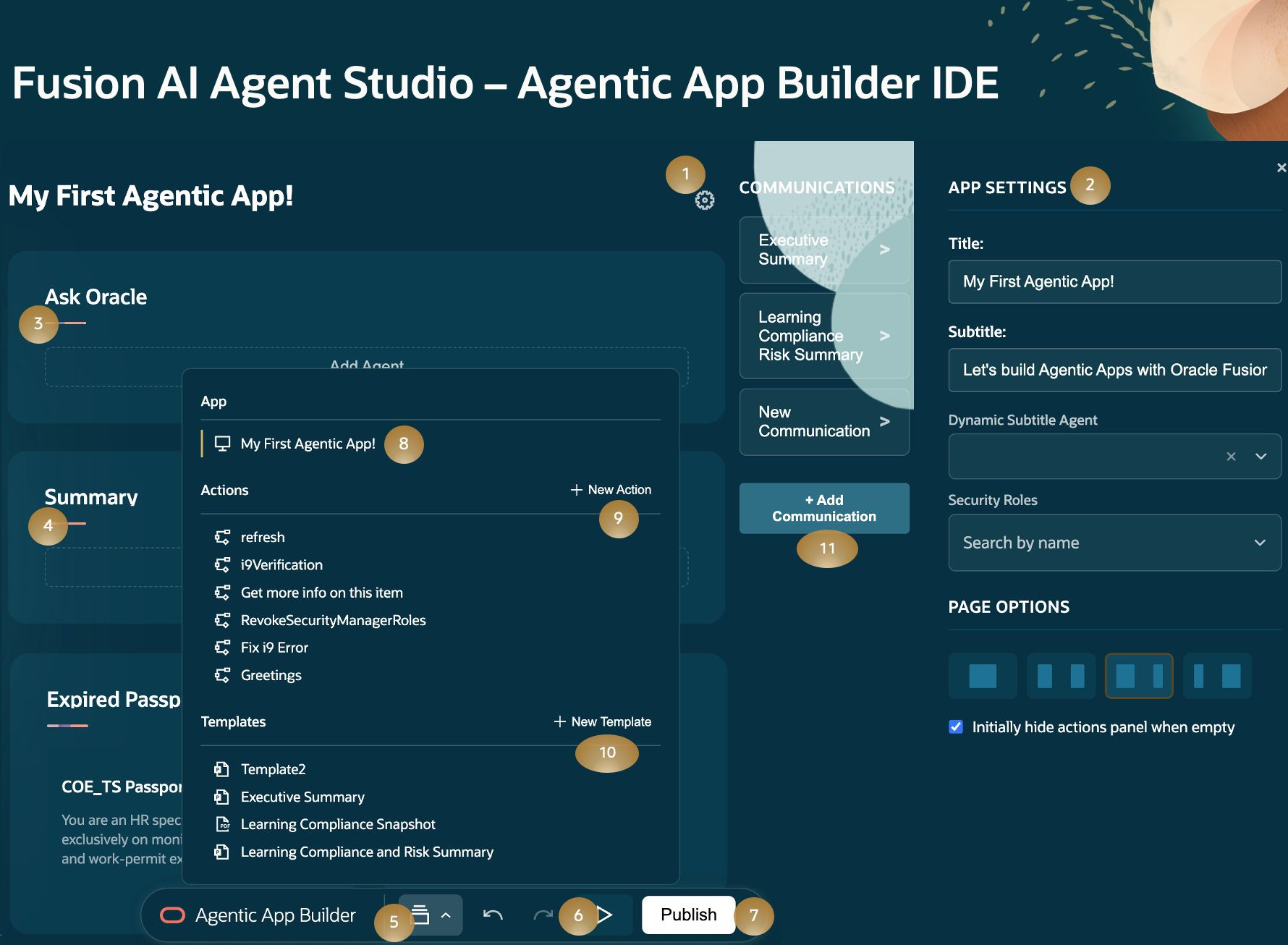
Those four regions map cleanly to four capabilities the app delivers.
Information Display is context that comes to the user. Agentic apps do more than just retrieve data, they generate context dynamically at startup, with the right widget chosen based on what the user needs to understand.
Advisor is built-in expertise on demand. Ask Oracle is a 24/7 expert panel embedded in the workflow. Natural-language questions, responses grounded in business context and policy, drawing on specialised agents or coordinated agent teams.
Actions is from insight to execution. The agent presents structured decision points with one-click execution inside the app itself. Prasanna Borse at Oracle Product Development describes this as “no swivel chair, no handoffs.”
Communication is proactive and embedded. The agent drafts messages and suggests follow-ups and the work doesn’t end with a decision, it requires follow-through.
All 22 apps in release 26B share this same four-region shape.
The $OraMessageHint Protocol
Aarti Satyamurthy covered this protocol briefly last month. It’s called $OraMessageHint - a contract between the app shell and the agent team. Ten enumerated hints across three lifecycle moments.
At app startup, five hints fire in parallel - InitSubtitle, Summary, InitDisplay, InitActions, InitCommunications - populating the four regions before the user even clicks.
When the user engages, three more - Query (carrying $chatHistory for Ask Oracle conversations), InvokeAction (carrying $OraAction when an action is executed), AdditionalContent (carrying $OraPanelName when a panel needs more detail).
When communications flow, two more - FillParameters (carrying $OraCommsParamsToFill), SendCommunication.
Workflow agents inside the app route hints through a Switch node on $context.$app.$OraMessageHint. Each case maps to a purpose-built LLM or Agent node - Summary goes to a Handle Summary LLM node, InitDisplay to a Build Display Agent node, Query to an Answer Q&A node carrying chat history. Structured prompts per branch. 60-second response window. One agent team, ten entry points.
That’s why Workflow Teams are the recommended architecture for agentic apps - structured routing, custom prompts per request type, and predictable latency inside the response window.
The full context-variable system that flows alongside the hints is wider than just $OraMessageHint:
$OraUserContextcarries the invoking user’s identity (name, role, ID) on every request.$OraAppContextcarries app-level initialisation context.Per-hint context expressions:
$chatHistory,$OraAction,$OraPanelName,$OraCommsParamsToFill.
Message hints are not merely plumbing but the contract between the app and the agents - the reason an agentic app feels coherent instead of chaotic.
The Seven Widgets
The Information Summary region isn’t free-form copilot generation. It’s built from declarative widgets - pattern-based components with published JSON schemas. The agent’s job is to populate one of seven widget types with structured data and the UI renders it once done.
The full catalogue:
chartWidget - Trends over time, category comparisons, proportions. Line, bar, or pie. Multiple datasets supported. Example: a monthly revenue trend with an insights summary block.
cardWidget - One critical alert that deserves its own focus. Variant for severity (error, warning, info). Example: a CRITICAL system alert for High CPU Usage with an Investigate button.
messageListWidget - Multiple alerts with individual priority, badges, timestamps, and inline actions. The workhorse for triage. Example: Compliance alerts (3 min ago), Pending approvals (12 min ago). Prevents alert fatigue.
changeListWidget - KPI tracking with automatic percentage-change calculation. Feed it current and previous values; the widget handles direction and percentage. Display modes: percentage, raw, currency. Example: Conversion Rate 2.8 → 3.5 (+25.0%).
multiRecordWidget - Tabular data with badge-style status cells and per-row actions. Example: a transactions table for employee roster.
recordWidget - One record’s worth of fields, in either read-only display mode or editable form mode. Field types: text, textarea, number, date, select. Example: an Employee Profile form with Full Name, Hire Date, Department.
sankeyWidget - Flow diagram with proportional link widths. Nodes are stages, edges are movement, link widths reflect volume. Example: Support ticket funnel, hiring pipeline with proportional widths exposing where the funnel narrows.
Quick decision rule:
Single alert →
cardWidgetMultiple alerts →
messageListWidgetKPI comparison →
changeListWidgetTabular data →
multiRecordWidgetData visualisation →
chartWidgetForm or detail view →
recordWidgetFlow or funnel →
sankeyWidget
The catalogue is finite and known, and in my opinion it is the reason the visual layer of an agentic app feels coherent across the 22 apps and across customer extensions.
Communications: The Trust Contract
Of all the pieces in an agentic app, the communications model is the part of the design that’s been thought through most carefully.
Two creation paths with the same lifecycle.
APP-DEFINED templates are configured once in the Builder, linked to a template, and reused whenever the situation calls for it. Email, text, PowerPoint, PDF. Best for repeatable communications: weekly status updates, standard compliance alerts, executive briefings.
AGENT-GENERATED runtime content is what the agent drafts on the fly when a situation is one-off. Email and text only. Strict rules: no placeholders, no fabricated data.
Both converge on a five-step lifecycle:
Suggest. Agent recommends the right communication for the moment based on context.
Prefill. Agent fills the parameters it already knows from prompting, knowledge, and current context.
Fill. When the user selects it, the agent completes the remaining parameters.
Review. The user inspects, modifies, and approves before anything leaves the system. The non-bypassable node.
Send. A designated delivery agent dispatches the message via email, Slack, PDF, or PowerPoint.
Notice what’s not in that list: any step where the system sends without the user seeing it first.
Aarti’s framing on this was:
“Communications are always outbound. Always reviewable. Always under human control. That’s the trust contract. The agent moves the work. You keep the accountability.”
That’s the sentence to lift into your governance framework when you’re setting up these apps in your environment.
The architecture stack, the agent orchestration patterns, and the AI Agent Studio tooling are in the second technical post. If you’re building or extending one of these apps, that’s the read you’ll want next.
Disclaimer: This is my best reading of Oracle's Fusion Agentic Applications based on Oracle's public press releases dated 24 March and 9 April 2026 and conversation with Oracle product development team, technical posts by Oracle staff, and independent analyst coverage through May 2026.
Fantastic post! This is a great head start for many. We have our in-person North America partner enablement sessions next week and this is a great pre-req to it.